|
|
|
by
Gary Freeman
E. T. 613
University of Northern Colorado
Fall, 1998
Abstract
Introduction
Advantages of Videoconferencing
Digitization and Compression
Communication
Equipment
Communication
Video
Audio
Control
Problems with Videoconferencing
Guidelines for Use
Communication Skills
Visual Considerations
Instructional
Planning
Conclusion
References
For many educators, videoconferencing, the use of two way audio
and video telecommunications, offers great promise for distance education
because it most closely imitates the experience of a traditional classroom
setting. While the costs of producing and transmitting audio and video
signals have been well beyond the range of most institutions in the past,
the development of compressed video systems that digitize and then compress
the amount of information delivered in a signal have made the use of videoconferencing
systems a cost effective medium for distance education. Much of this cost
savings is realized by transmitting the signal through landbased telecommunication
lines, especially through widely available T1 or ISDN lines that can be
leased from telephone companies. Videoconferencing equipment falls into
four basic categories—communication, video, audio, and control—that each
place different capabilities and limitations on the communication process.
A number of guidelines have been published to help instructors use videoconferencing
effectively, but instructor attitude and preparation have more affect than
most technical considerations. Finally, while videoconferencing may do
a great deal to reduce transactional distance, it is important to consider
its limitations, to have realistic expectations of what it can deliver,
and to appraise its value in relation to other distance learning environments.
With the explosive development of computer and network technologies in the past dozen years, and with the growing demand for lifelong learning in an increasingly competitive global economy, distance education has entered a “new phase of evolution,” (Moore, 1988, quoted in Silvey & Cochenour, 1995). Electronic mail, computer conferencing, synchronous chat rooms, instructional television, audiographics, and web based environments have all made learning at a distance much more interactive and satisfying for many students.
Of all the interactive technologies, videoconferencing--the use of two
way audio and video telecommunications--has held the most promise for many
educators because it offers an experience most like a traditional classroom.
By emphasizing face-to-face interaction between the instructor and the
students, videoconferencing has been highly touted as “the next best thing
to being there,” allowing the formation of relationships that are not possible
through other interactive means. (Woodruff & Mosby,
1998).
The promises of videoconferencing have been enumerated in a number
of different publications. In the 1992 National School Board Association
report Interactive Television for Distance Learning: From Plan to Practice,
the president and executive director of the NSBA waxed rhapsodic about
the promises of interactive television:
“Distance learning technologies have tremendous potential to enhance education. As they link teachers with distant classrooms, they link top-quality instruction to diverse groups of students; help small groups of students to pursue specialized interests, enable students to get credits required for state university admittance…and sometimes even avert school closings by tele-transporting teachers to teach courses for school accreditation,” (Penfield & Shannon, quoted in Saulewicz et al., 1995, p. 171).
Pacific Bell’s extensive web site on videoconferencing (Woodruff
& Mosby, 1998) expands on this theme by emphasizing the wealth
of possibilities of bringing different sites together easily, promoting
shared resources and manpower. With videoconferencing, students can take
courses at different sites or at more convenient times. They can meet with
tutors or off-site experts for increased personal attention, and learn
to collaborate with other students more often. They also pick up valuable
communication skills, putting more emphasis on developing their oral skills
and becoming more aware of their appearance (Woodruff
& Mosby, 1998).
Teachers can use videoconferencing to their advantage by sharing methods and curriculum with teachers in other buildings—perhaps through team teaching, by observing different teaching practices and styles at remote sites, and by taking inservice courses from different schools or universities without having to travel. Schools can begin to use videoconferencing facilities in many different ways as well, opening them to the community for events and opportunities in the public interest (Woodruff & Mosby, 1998).
While the advantages of videoconferencing are significant, however, the costs of videoconferencing are also significant. Until recently, the technology needed to transmit audio and video signals has required expensive equipment well beyond the range of all but the largest scale projects, even for one-way transmission.
The development of compressed video systems in the past few years has
greatly reduced the costs of interactive videoconferencing, making it much
more feasible to deliver live two-way video and audio interaction between
distant sites. By drastically reducing the amount of information that is
transmitted between different sites, compressed video systems are able
to send signals via much less expensive carriers using much less expensive
equipment. Understanding how this compression works requires a few basic
concepts of audio and video transmissions and how they are encoded as electronic
signals.
Standard television signals are moving frames of information traditionally
broadcast as continuous electronic waves. These analog waves are transmitted
through the air at very high speeds, something like 4 to 6 million cycles
per second (4-6 megahertz or MHz). When these waves are picked up by a
television set, the original frames of information move across the screen
at 30 frames per second (fps), giving the illusion of full motion video
(Cochenour & Rezabek, 1995). Most television
signals are now digitized at some point in the transmission, meaning that
the continuous analog waves are turned into discrete binary signals of
ones and zeroes by sampling or marking where the wave occurs at regular
interval. The greater the sampling rate—the closer the sample points on
the wave—the greater the accuracy of reproducing the wave. (ITV
Training Manual, 1997).
As anyone who has worked with digital photos or sounds can tell you, the resulting amount of information is tremendous. Full motion video takes between 80 and 90 million bits of information per second (Mbps or megabits), exceeding even the ability of standard television cables to carry the signal. That’s about how much information can be transmitted by one satellite transponder, or about 1820 standard telephone lines (Distance Learning Resource Network).
Video compression systems, called CODECs, not only digitize the analog information fed into them by the television cameras and microphones, but also drastically reduce the amount of information encoded, down from the original 80-90 Mbps to rates as low as 64 thousand (or kilo) bits per second (Kbps), about the amount of information that can be carried through a voice channel in a telephone wire (Distance Learning Resource Network ). The information transmitted at 64 Kbps is far too slow and low quality for most uses, but the development of compression techniques has made transmission at 384 Kbps, about 1/225th the size of the original signal, quite acceptable for most educational settings.
Most compression techniques come from throwing out redundant information during the digitization process. If the original analog video wave is sampled less often, less information is digitized. Hence, typical compressed video is transmitted at 10-15 fps rather than the standard 30 fps for full motion video or 24 fps for VHS tape players (Sachs, 1995a). The signal is also compressed by another technique called interframe coding of conditional replacement. When an image is captured and digitized, information is transmitted about each pixel or single point in the video screen image. For each subsequent frame of information, however, the full complement of information is sent only for those pixels that change. A much briefer code is sent to repeat the values of the pixels that remain unchanged, drastically reducing the amount of information needed to transmit the image. This reduction of information occurs when the digital information is expressed in a mathematical algorithm called a discrete cosine transform. The DCT “converts a block of pixels into a matrix of coefficients and estimates the amount of redundancy in the matrix,” (Distance Learning Resource Network ). These compression techniques and algorithms are governed by a set of industry standards known as JPEG (Joint Photographic Expert Group) and MPEG (Motion Picture Expert Group) that are continually evolving with the development of new technologies.
The heart of any compressed video system, then, is the electronic module
or CODEC that digitizes and compresses (or COdes) the signal before sending
it to another CODEC that DECodes the image back to an analog format on
the receiving end. In that regard, a CODEC resembles an extremely powerful
modem that contains both the software for the mathematical operations as
well as the connections for communication with the rest of the system (Touchstone
& Anderson, 1996).
While the CODEC may be the most important component of the compressed
video system, it is the communications--the process of getting the signal
from one site to another--that makes compressed video economically feasible
and attractive to use. Instead of having to broadcast the transmission
through the air, the signal can be sent through landbased telephone lines
for a fraction of the cost. But it is also the communication of the signal
that presents the most complication for the user, (Sachs,
1995a) for this step depends on arranging the most dependable carrier
at the most economical rate while also ensuring that the signal can be
understood by the equipment on the other end of the line.
Microwave towers, satellite transponders, fiber-optic cabling, or even the “plain old telephone service” lines (POTS) can be used to carry the signal of a videoconference, but most connections are made over dedicated T-1 or ISDN lines (Sachs, 1995b). T-1 lines are typically leased from the telephone company, and they can carry 1.544 Mbps of information, the equivalent of 24 voice channels. T-1 lines can be fairly expensive, with monthly costs based on the distance of the line, but the line can also carry other digital information besides the videoconferencing transmission. Just 1/4 of the capacity, or bandwidth, of a T-1 line is needed to carry the 384 Kbps that is used in many of the current compressed video systems (Touchstone & Anderson, 1996).
ISDN (Integrated Services Digital Network) lines are becoming a popular choice for videoconferencing systems because they adhere to standards, they work over regular phone lines (Woodruff & Mosby, 1998), and they are normally billed only for the time they are actually used. Each ISDN line transmission carries 128 Kbps, and the bandwidth is dedicated to the videoconference for the duration of the call. This bandwidth can be easily extended by increasing the number of lines: two lines for 256 Kbps or three lines for 384 Kbps. These types of ISDN lines are known as Basic Rate Interface (BRI) lines, and they consist of two 64 Kbps channels, known as B or bearer channels, and one 16 Kbps channel known as the D or data channel. A higher rate of transmission can be obtained by PRI or Primary Rate Interface lines. PRI consists of 23 Kbps bearer channels and one 64 Kbps data channel. That makes PRI a functional equivalent of a T-1 line running 1.544 Mbps (Pihlman, 1995).
Once the signal reaches another site, it needs to be correctly deciphered and understood by the CODEC on the other end. These CODECs must share the same language to talk to each other. Those of us who have stood steadfastly on the other side of the Macintosh-Windows debate (whichever side that may be) understand this problem all too well. As long as the systems are made by the same company, this is no problem as the manufacturer may have a proprietary standard and algorithm that delivers a high quality signal. As more sites begin to seek connection with one another, however, “interoperability” between different systems, even by the same manufacturer, becomes an important issue.
In 1990, the ITU/T-the International Telecommunications Union, Telecommunications Standardization section--addressed this problem, issuing a minimum set of standards (Cochenour & Rezabek, 1995). The most important of the standards is known as H.320, an umbrella standard for the whole compressed video system. H dot 320 is also known as P X 64, describing how the information can be compressed and transported by a number (P) of 64 Kbps channels. H.320 is then broken down into a number of subsystems, including H.261 for video compression.
H.261 specifies one of two signals according to the resolution and size of the image. CIF (Common Interface Format) specifies the larger image by supporting an image size of 352 X 288 pixels transmitted between 15 and 30 fps. A smaller image known as QCIF (Quarter Common Interface Format) transmits a smaller screen size (176 X 144 pixels) and a slower rate of transmission--up to 15 fps--that requires less bandwidth (Pihlman, 1995).
Three different standards govern the compression and transmission of
audio signals. G.722 signals transmit 7 KHz of information--almost CD-like
quality--at rates up to 64 Kbps. G.711 gives lower quality of sound, transmitting
3.4 KHz at 64 Kbps, and G.728 requires much less bandwidth specifying the
same 3.4 KHz at only 16 Kbps. Other ITU/T standards for compressed video
govern the transmission of data, communications, and control across the
lines (Hendricks & Steer, 1996).
The equipment for compressed video systems comprise four different
subsystems (ITV Training Manual, 1997). The description
here will be based on the equipment of one of the major manufacturers and
distributors of compressed video, PictureTel. Comparable equipment should
be found on systems by other manufacturers, including Compression Labs
Inc. (CLI) and VideoTelecom (VTel). While CLI is known for its engineering
and video quality, and VTel has captured much of the telemedicine market,
PictureTel “has simplified user controls and has applied aggressive marketing”
tactics to give it the lead in the manufacture of compressed video systems
(ITV Training Manual, 1997).
The first set of equipment may be thought of as the communications subsystem, and it includes the CODEC, the lines and connections between the sites, and the equipment need to adapt, bridge, or allocate the signal anywhere in the transmission (ITV Training Manual, 1997). While point to point communication can be made directly between two sites, especially through ISDN or phone lines, often the signals must pass through a network “bridge” that allows the signal to be sent to multiple sites. For longer transmission links, the information must pass through multiple bridges, often adding to the degradation or delay of the signal.
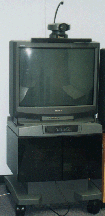
The video subsystem consists of the cameras, monitors, document cameras, VCR’s, scan converters, and other auxiliary input devices used to send and receive the actual image being transmitted. In the PictureTel setup, the primary monitor sits on top of a cart (called the World Cart) housing the CODEC. This monitor displays images from the far site, although an optional feature called the PIP (Picture in Picture) shows a much smaller image of what the far end is viewing. Often, a second monitor sits beside the primary monitor, also showing the image being received by the far end. This second monitor allows an instructor/operator to preview an image before it is sent. (Concorde•4500 User’s Guide, 1996) Other monitors in the room may show multiple sites, and some systems have an option that allows a monitor screen to be subdivided, showing images from different sites in each quadrant on the screen (Ostendorf, 1994).
In the PictureTel system, the primary camera sits atop the main monitor, allowing the illusion of speaking to the people in the monitor. While the quality of cameras may vary, they should be able to operate in normal room light, have a wide enough field of view to cover the entire room, and be capable of panning, tilting, and zooming to move to different areas in the room (Sachs, 1995a). Many labs have additional cameras that permit the viewing of the room from different angles. A document camera, called an Elmo in the PictureTel system, looks and acts a lot like a combination overhead/opaque projector, and it can display documents, pictures, slides, papers, or other objects to the far end. A VCR can be connected to the system, either for playing tapes to remote sites or for recording a session for later playback and review. Additional inputs allow the connection of other devices such as slide projectors, electronic slate boards, and desktop computers (Ostendorf, 1994).
One feature that deserves special mention is a stored graphics option called the snapshot in the PictureTel system. The snapshot allows the operator to capture and store any image that is being transmitted. This image is received by the remote sites at a higher resolution, making it more suited for displaying text or any other still image on the Elmo where the slightest movement can blur and distort the display on the screen. The stored graphic may also be recalled and shown multiple times until another image is captured. This image has the additional advantage of appearing on the near-end monitor at remote sites, allowing students there to see the instructor and the image at the same time (Ostendorf, 1994).
The third subsystem, the audio components, may actually be more important than the video subsystem. While most classes can continue if a video signal is lost, the loss of an audio connection ends any communication between sites (ITV Training Manual, 1997). In addition, since many of the controls of a videoconferencing system may be based on voice activation, maintaining a balanced and well-kept audio system may help make a video conference go much smoother.
The most obvious components of the audio system consist of microphones and speakers. Any owner of a high dollar stereo system will attest to the importance of top notch speakers, and PictureTel houses high quality Bose speakers inside the World Cart to assure high fidelity sound (Concorde•4500 User’s Guide, 1996).
Many videoconferencing systems have separate microphones for the instructor—often a lavaliere or lapel mike—and for the students—often of the push-to-talk variety. Larger rooms and settings may require a number of microphones to accommodate many students. PictureTel now packages a circular, domed microphone called the PowerMic with its system. According to company documentation, the PowerMic equalizes all sounds--“loud voices, soft voices, and even whispers”--within a 14 foot radius of the mike and transmits them over the system at approximately the same volume. Up to four PowerMics may be connected serially to accommodate larger rooms (Concorde•4500 User’s Guide, 1996).
Most of the systems, including PictureTel, have provisions for extra telephone link-ups to the conference. This allows the instructor/operator to call on outside sources during a session and have them speak through the system to the rest of the class, a convenient way of having a guest speaker come and talk without having to actually be at one of the sites (Ostendorf, 1994).
The fourth and final subsystem to be considered, the control subsystem, consists of all the units—including keypads, computers, keyboards, switchers, etc.—needed to actually run a conference once it is in session. In the PictureTel setup, a remote keypad controls all system functions, and learning to use it is considered necessary for a successful video-conference (Ostendorf, 1994). Usually operated by the instructor at the origination site, the keypad opens the menu commands in the CODEC for system configuration, and it also has a number of buttons for dialing, for conference controls (volume, muting, PIP), and for the pan/tilt/zoom features of both near and far end cameras. The keypad also has controls for storing different camera positions. This allows the instructor/operator to automatically move the camera to a predetermined location quickly and easily without wasting time with manual controls. Another section of the keypad is devoted to video input selection, allowing the operator to preview and then send an image from any of the video inputs on demand.
PictureTel has supplied two other remote controls that supplement the keypad. The Quickpad looks like a television remote control and duplicates many of the functions of the keypad. The Look At Me Button (LAMB) is a separate unit with a button for one additional preset camera position as well as an additional button to mute the near-side mikes. The LAMB can be handy for an instructor who moves away from the primary teaching area to another predetermined area in the room to address the class (Concorde•4500 User’s Guide, 1996).
Many cameras have the option of a voice tracking system. PictureTel calls this the Limelight, and it is placed above the main camera. The Limelight locates the voice of whomever is speaking and automatically pans, tilts, and zooms the camera towards that sound. While there may be some lag in the timing and movement of the camera, it generally operates much faster than manual repositioning of the camera with the keypad (Concorde•4500 User’s Guide, 1996).
Control functions extend to the ability to designate which remote sites
are being seen in a multipoint connection. This can be done either manually
with the keypad, or by voice control. In a voice control mode, the far
end monitors will display the site that is speaking. Whoever speaks last
will stay on the monitor. In a manual mode, the instructor/operator can
configure the system to request or to grant director or chair status. Director
status allows the instructor to control which site is seen by other participants
and which video input from the far sites is being used.
As a survey of the equipment might lead you to believe, while compressed
video may drastically reduce the cost of two way video and audio conferencing,
it still doesn’t come cheap. Michael Moore and Greg Kearsley (1996)
mention the initial costs of the CODECs alone may run between $20,000 and
$30,000 each, but the final figures for outfitting a lab can push the figure
much higher. For example, costs to equip videoconferencing labs at Lyons
and Skyline High Schools in the St. Vrain Valley School District in Longmont,
Colorado, ran around $50,000 a piece in 1991. When the original VTel system
was replaced in 1997 with PictureTel equipment, those costs jumped to about
$65,000 (Lord, 1998). Add to that the cost of transmission—a
leased T-1 line traversing the 15 miles between the two schools ran around
$7,500 a year in the early 90’s—and the ante increases considerably (Donahoo,
1995). Videoconferencing systems also require notoriously high maintenance,
and a contract for this may add another $1500-$2000 per site per year (Sachs,
1995b).
Problems can also crop up, and frequently do, with the transmission of the signal. Connections between sites, especially for the first few meetings, are often unreliable or fraught with glitches until troubleshooting can pinpoint problems and configurations can be nailed down. Adding additional sites and/or connecting through additional bridges can greatly increase the complexity and the vulnerability of the signal. Site facilitators often spend much of their time running through diagnostic procedures and interpreting network statistics to see what went wrong.
Once the signal gets through, the actual compression of the video can lead to unsatisfactory results for many instructors. With a frame rate of 15 fps or lower, rapid motions can appear jerky or leave trails across the screen. The image may often appear fuzzy or chunky as well. Fine motor skills, quick movements, and subtle, non?verbal gestures are not communicated very well across the system. Synchronization of audio and video may also present problems as the sound of the voice may take a bit to catch up with the movement of the lips. Some participants feel that they are conversing much more slowly than they do normally, often leading to interruptions or dead spots in the conversation (Woodruff & Mosby, 1998).
Audio clipping or echoes may impair the sound in a system if it is not properly configured (Woodruff & Mosby, 1998). Environmental considerations may also hamper sound quality in a room. One local high school, for example, tacked the cardboard material from apple crates to its walls to dampen a strange echo in their lab. And when sneezes, rustling papers, or whispered conversations are picked up and equalized in the microphones, these noises can add significantly to the distractions in a session.
Human factors may be more important to deal with. Nothing can make or break the success of a videoconference more than the behavior and instructional strategies of a teacher. “Videoconferencing appears to amplify poor teaching styles and practices,” (Reed & Woodruff, 1995) and teachers must spend a greater amount of time preparing and developing their classroom instruction.
In addition, looking at television monitors may bring about a whole series of expectations and attitudes that run counter to a good instructional atmosphere. Much has been written in the past few years about the passivity that is induced by television watching, and these bad habits may carry over to instructional video as well. Many students, and instructors, are used to vegging out in front of a television screen, expecting entertainment, slick graphics, quality video, and a quick pace (Woodruff & Mosby, 1998).
When they are new to videoconferencing, students may lack a sense of
videoconferencing etiquette. They are not used to talking with (as opposed
to talking back to) a television set, for example, and may be intimidated
by the fact that their image as well as their words is being transmitted
elsewhere, especially when they can see themselves on the near end monitor.
Another problem can crop up when students ignore or interrupt what is occurring
on the monitor. It is not uncommon for them to carry on side conversations
with other people in the same room without realizing how this behavior
affects the other people in the room, or, if the conversation is picked
up by a mike or camera, how it affects other sites on the system (Reed
& Woodruff, 1995). The instructor cannot rely on many of the subtler
forms of gesture and body language that is often used to control such situations
in a face-to-face classroom.
A number of guidelines and suggestions have been written to help
instructors make the most efficient use of videoconferencing systems. While
most of these suggestions have to do with the design, development, and
delivery of instruction in the courses delivered through the system, the
most sold piece of advice has to do with attitude:
“The teacher/facilitator is probably the single most important participant in a compressed video system. If s/he thinks compressed video delivery systems will support the goals of the session and if s/he is open and willing to use the technology, the session will usually go well,” (Cochenour & Rezabek, 1995, p. 8).
After attitude, communication skills over the system become critical
to the success of a session. First off, videoconferencing should be seen
as just one of a variety of media used to communicate with students. Just
moving materials and papers between sites can present significant problems
if not dealt with early. Many schools use postal delivery or courier systems,
but most videoconferencing rooms have dedicated phone and fax lines to
handle that traffic electronically. In this day of network communication,
e-mail, bulletin boards, web sites, and computer conferencing systems can
greatly extend the options not only for administrative but also for instructional
or even social purposes. Most importantly, there exists quite a bit of
evidence that “delivery of instruction is usually more effective when more
than one medium is used,” (Collins & Berge, 1995).
Using multiple channels of communication accommodates a wider range of
individual and cognitive abilities.
Since audio delay is not natural in normal face to face conversation, modifying verbal behaviors to accommodate the system can have a large impact on the quality of communication. It’s important for the instructor and students to learn to speak in strong, clear voices, repeating any comments that may not have been understood. Learning to express and finish thoughts in a single statement with an obvious conclusion can give students a better idea of learning to respond without interfering with what’s being said. Many experienced instructors also use visual cues to signal agreement or understanding when they are listening to students, minimizing the need to comment during a response (Woodruff & Mosby, 1998). And while wait time has been seen as an effective tool for increasing the depth of discussion in face-to-face classrooms, it needs to be greatly lengthened in videoconferencing environments to accommodate audio lag (ITV Training Manual, 1997).
Virginia Ostendorf, an instructional consultant hired by PictureTel to help teachers use videoconferencing effectively, suggests that instructors get in the habit of directing the class orally to maintain a proper sense of timing and movement. This can include a formal beginning for the class with a call to order, preparing students about what’s coming next by introducing activities, cueing new visual images before they are actually presented on the screen, directing student activities with clear, unambiguous instructions, summarizing ideas and discussions frequently, and signaling the end of class with regular and formal procedures (Ostendorf, 1994).
A number of instructional strategies and suggestions speak directly to involving students at remote sites. Some guides go so far as to suggest that instructors have no students at the origination site with them the first time they teach with the system, forcing them to adapt their styles to teaching at a distance (ITV Training Manual, 1997). Sometimes it’s easy to forget about students on the other end, especially when warm bodies inhabit the same room. Showing at least as much interest in the distance students, and addressing them by name and by site can do much to make them feel involved. Eye contact is maintained with remote sites by looking directly at the camera, not at the monitor where they are located. Teaching from each of the remote sites at least once during a semester can also help break some of the distance often felt by remote students (Woodruff & Mosby, 1998).
Since videoconferencing is a visual medium with some technological
limitations, extra attention needs to be given to the images presented
on the screen. For example, the area behind the instructor can be distracting,
especially if the background is overly busy or painted in strong colors.
Even the instructor’s clothing can present problems. Stripes and patterns
tend to wreck havoc with the camera’s autofocusing mechanism; white clothing
tends to glare; red clothing can cause the camera to blur; black tends
to suck up light. Clothing that blends in too well with the background
colors can result in bizarre images of disembodied heads and hands. For
the weight conscious among us, baggy clothing can make us appear heavier
than we normally are. It goes without saying that glittery and noisy jewelry
can be distracting either over the camera or over the microphones. Even
tinted glasses can detract from an instructor’s image, making his or her
eyes appear dark and mysterious on the monitor (Ostendorf,
1994).
Instructors who are more animated and restless in their teaching styles in a regular classroom may need to mellow out a bit to allow the system to keep up with them. Moving in fluid, non-distracting ways keeps the image from appearing jerky. Movements like swaying, pacing, or rocking back and forth may be amplified when picked up by the camera, transmitting images that are unusual or unsettling to students at the remote end (Woodruff & Mosby, 1998).
The use of camera preset options on the instructor’s keypad can save a lot of time in switching shots and angles, and it deserves attention before a session starts. The first preset position is often called the primary instructor shot, the position most often used by the teacher. Woodruff and Mosby (1998) recommend that this shot follow the elbow-wrist rule: the edge of the screen should fall between the instructor’s elbows and wrists when viewed in the near side monitor. This allows the camera to come close enough for facial gestures and eye contact but not so close that movement is accentuated and distracting. The instructor needs to be acutely aware of the limitations of this space, perhaps even marking it off with tape to prevent moving outside of it and off the screen. Another consideration that helps is placing the system console (the World Cart) with both the far end monitor and the primary camera facing the instructor head on. This angle greatly facilitates communication with the remote sites (Ostendorf, 1994).
While other camera positions may pull back from the instructor to allow more freedom of movement, camera shots for interaction with students deserve consideration. Students should be able to speak easily to the camera and far end monitors to encourage conversation and dialog. They may find close-up shots to be very intimidating, and pulling back for a “cluster” shot that shows them in a small group of people may help them feel more comfortable (Ostendorf, 1994).
When the document camera, the Elmo, is used effectively, it can be a powerful teaching tool. Visuals for the Elmo should be planned to conform to a 3 X 4 aspect ratio, leaving a three inch, text free boundary running around the outside edge to minimize distortion. The text itself should be uncluttered, with no more than 30 characters per line and 9 lines per page. Fonts should be kept simple, with large sizes—36 points or better—for headings, and readable sizes—about 24 points—for body copy. Neutral pastel colors for backgrounds with contrasting type colors work best for ease of reading. Using the Elmo to display screen slates with simple, printed instructions on the monitors during activities helps to minimize distractions (Ostendorf, 1994).
Videotapes should be used carefully and sparingly. While a VCR image
may appear fine on the near side monitor, it can be jerky and fuzzy at
the remote sites. Usually, it works best for instructors to send an actual
copy of the tape to remote sites for viewing on separate video players
(Woodruff & Mosby, 1998).
Because there are so many more areas and ideas to think about in
planning a distance education class by videoconferencing, instructors need
to spend a lot more time in planning. Virginia Ostendorf (1994)
suggests the use of an eight column spreadsheet to cover the planning of
a class session. Each segment of instruction in the class then can be looked
at from these different points of view:
1. Key points or tasks,
2. Presenters,
3. Visuals,
4. Methods/activities,
5. Support materials,
6. Estimated time required,
7. System operation cues, and
8. A to-do list of what still needs to be accomplished for that segment.
More importantly, instruction needs to be planned to take advantage
of the interaction offered by the system. Interaction between the instructor
and the students and between the students themselves does much to reduce
the transactional distance inherent in any distance education learning
environment. Much evidence suggests that interaction improves “student
achievement and attitudes toward learning” (Kearsley,
1995).
Finally, part of the instructor’s planning process should include thorough
familiarization with the equipment, especially the keypad, in order to
keep things rolling smoothly. Many instructors find it useful to take a
number of dry runs with the equipment, going so far as to videotape themselves
for later review. This preparation also needs to consider what to do when
things go wrong. A list of phone numbers and names of people to contact
when troubles occur can speed the solution, and a back up plan for instruction
may mean less wasted time for the students (ITV Training
Manual, 1997).
Like any other distance education learning environment, videoconferencing
provides great opportunities to extend the boundaries of learning if it
is used properly. It offers a cost effective means of interacting both
orally and visually, reducing the “transactional distance” between instructors
and students. But while videoconferencing may be the distance education
technology that most looks and feels like a traditional classroom, it is
important to remember that it has its own limitations and foibles,that
it is not for everybody or for every subject, and that duplicating a traditional
classroom may not be the best way to construct a distance learning environment.
Finally, placing unrealistic expectations on videoconferencing may doom
its use more than any of its real limitations. Before that happens, it
is important to have a clear idea of what the system is, what it can do,
and how it can be used (Sachs, 1995b). Then it may
provide an effective tool in the distance education arsenal.
Cochenour, J. J., & Rezabek, L. L. (1995).
Compressed video: What’s in it for me? In B. T. Hakes, J. J. Cochenour,
L. L. Rezabek, & S. G. Sachs (Eds.), Compressed video for instruction:
operations and applications (pp. 1-10). Washington, D C: Association
for Educational Communications & Technology.
Collins, M. P., & Berge, Z. L. (1994). Guiding design principles for interactive teleconferencing. Paper presented at the Pathways to Change: New Directions for Distance Education and Training Conference, September 29, 30, and October 1, 1994, University of Maine at Augusta. [Online]. http://star.ucc.nau.edu/~mauri/papers/augusta.html [April 1, 1998].
Concorde•4500™: User'sguide. (1996). Andover, MA: PictureTel Corporation.
Distance Learning Resource Network. DLRN technology resource guide. [Online] http://www.wested.org/tie/dlrn/dlrnresguide.html [September 18, 1998].
Donahoo, R. W. (1995). St. Vrain Valley school district, Colorado. In B. T. Hakes, J. J. Cochenour, L. L. Rezabek, & S. G. Sachs (Eds.), Compressed video for instruction: operations and applications (pp. 1-10). Washington, D C: Association for Educational Communications & Technology.
Hendricks, C. E., & Steer, J. P. (1996). Videoconferencing faq. [Online] http://www.bitscout.com/faqtoc.htm [September 16, 1998].
ITV training manual. (1997). Lakewood, CO: Red Rocks Community College.
Kearsley, G. (1995). The nature and value of interaction in distance learning. Paper prepared for the Third Distance Education Research Symposium, May 18-21, 1995. [Online] http://www.gwu.edu/~etl/interact.html [February 20, 1998].
Lord, L. (1998). Personal communication, October 9, 1998.
Moore, M. G. (1998). Editorial—telecommunication, internationalism, and distance education. The Americanjournal of distance education, 2(1), 1-7.
Moore, M. G., & Kearsley, G. (1996). Distance education: A systemsview. Belmont, CA: Wadsworth Publishing Company.
Ostendorf, V. A. (1994). The two-way video classroom. Littleton, CO: Virginia A. Ostendorf, Inc.
Penfield, A. R., & Shannon, T. A. (1992). Letter to readers. In Kitchen, K., Interactive television for distance learning: from plan to practice. Alexandria, VA: National School Board Association.
Pihlman, M. (1995). Desktop videoconferencing challenge. [Online] http://newmedia.com/NewMedia/95/11/td/vidconf/Desktop_Videoconferencing.html [September 16, 1998]
Reed, J. & Woodruff, M. (1995). Using compressed video for distance learning. Thedistance educator, 1(3), 2, 6-10. [Online] http://www.kn.pacbell.com/wired/vidconf/Using.html [September 18, 1998].
Sachs, S. G. (1995a). Compressed video: a technical
overview. In B. T. Hakes, J. J. Cochenour, L. L. Rezabek, & S. G. Sachs
(Eds.), Compressed video for instruction: operations and applications
(pp. 1-10). Washington, D C: Association for Educational Communications
& Technology.
Sachs, S. G. (1995b). Considering compressed video
use. In B. T. Hakes, J. J. Cochenour, L. L. Rezabek, & S. G. Sachs
(Eds.), Compressed video for instruction: operations and applications
(pp. 1-10). Washington, D C: Association for Educational Communications
& Technology.
Saulewicz, J. E., Ling, D., Farr, C. W., Shaeffer, J. M., & Hakes, B. T. (1995). Faculty development: business, higher education and k-12. In B. T. Hakes, J. J. Cochenour, L. L. Rezabek, & S. G. Sachs (Eds.), Compressed video for instruction: operations and applications (pp. 1-10). Washington, D C: Association for Educational Communications & Technology.
Silvey, L., & Cochenour, J. (1995). Distance education: a framework for compressed video. In B. T. Hakes, J. J. Cochenour, L. L. Rezabek, & S. G. Sachs (Eds.), Compressed video for instruction: operations and applications (pp. 1-10). Washington, D C: Association for Educational Communications & Technology.
Touchstone, A. J. L., & Anderson, E. T. (1995). Guide #11: Interactive videoconferencing in distance education. Distance education at a glance. [Online] http://www.uidaho.edu/evo/distaa.html#training [September 24, 1998].
Woodruff, M., & Mosby, J. (1998). Videoconferencing
in the classroom and library. Videoconferencing for Learning. [Online].
http://www.kn.pacbell.com/wired/vidconf/
[September 18, 1998].